Assignment intake and distribution
Capture the referring party, property, file reference, requested scope, and due dates. Assign a lead appraiser by territory and capacity, with an explicit acceptance step.
 Start a project ↗
Know who owns every appraisal, what the field team collected, and which files are ready to bill. Build a private workflow around how your 5–30 appraisers work.
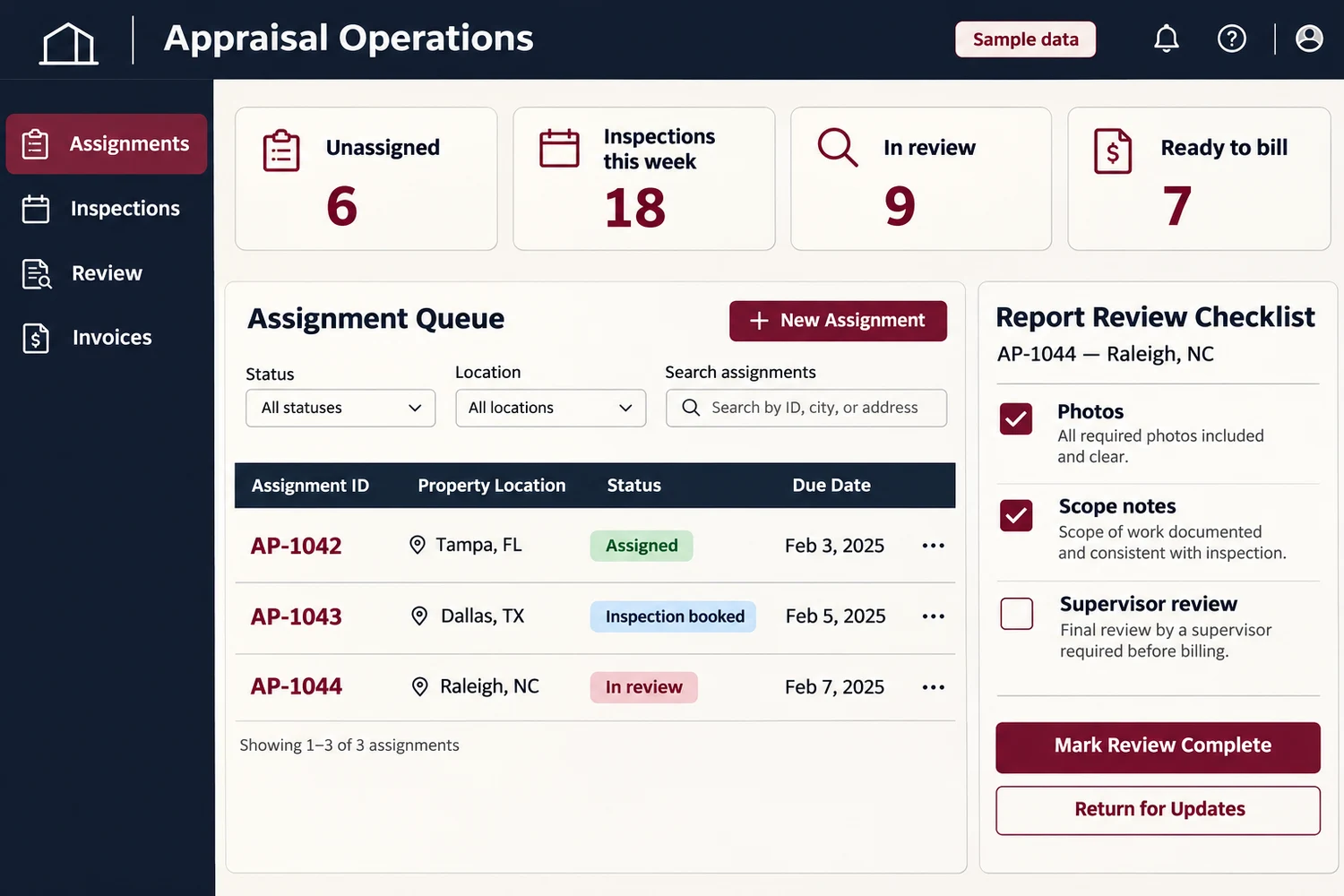
Capture the referring party, property, file reference, requested scope, and due dates. Assign a lead appraiser by territory and capacity, with an explicit acceptance step.
Book visits and record property contacts, room or elevation notes, measurements, and photos. Flag missing required evidence before the file reaches review.
Keep versions, scope comparisons, reviewer notes, and approvals tied to the file. Route disagreements or missing information back to the assigned appraiser.
Separate appraiser, coordinator, reviewer, and billing permissions. Scope file access by assignment and keep a record of status changes and document releases.
Assemble agreed report attachments, log delivery, and track any follow-up. Keep administrative closure separate from the appraiser’s professional conclusions.
Track agreed fees, expenses, approved add-ons, and invoice status. Separate completed files from those still waiting on approval or payment.
A firm with 12 appraisers gets several storm-related assignments at once. Its coordinator can review unassigned files, see who accepted each one, and flag inspections without confirmed appointments. A reviewer can return an incomplete file with a specific request while billing sees only approved work.
Create a file from the assignment request and record the deadline.
Assign an appraiser and confirm the inspection appointment.
Check the field evidence and send report revisions to the right person.
Deliver the approved file and reconcile the invoice.
Track time to assignment acceptance, files returned for missing evidence, and days from report approval to invoice. Start with one referral source and one report template.
Bring a redacted work order, your current process, and one handoff you want to improve.
This workflow is for property insurance appraisal assignments and supporting evidence. It helps route work and review files. It does not produce mortgage valuations or decide coverage.
Yes. Start with file attachments or an agreed export. Direct integrations depend on provider access, file formats, and the workflow your team needs.
A custom build can scope access by assignment and role. Agree which fields and documents coordinators, appraisers, reviewers, and external users may see during project discovery.
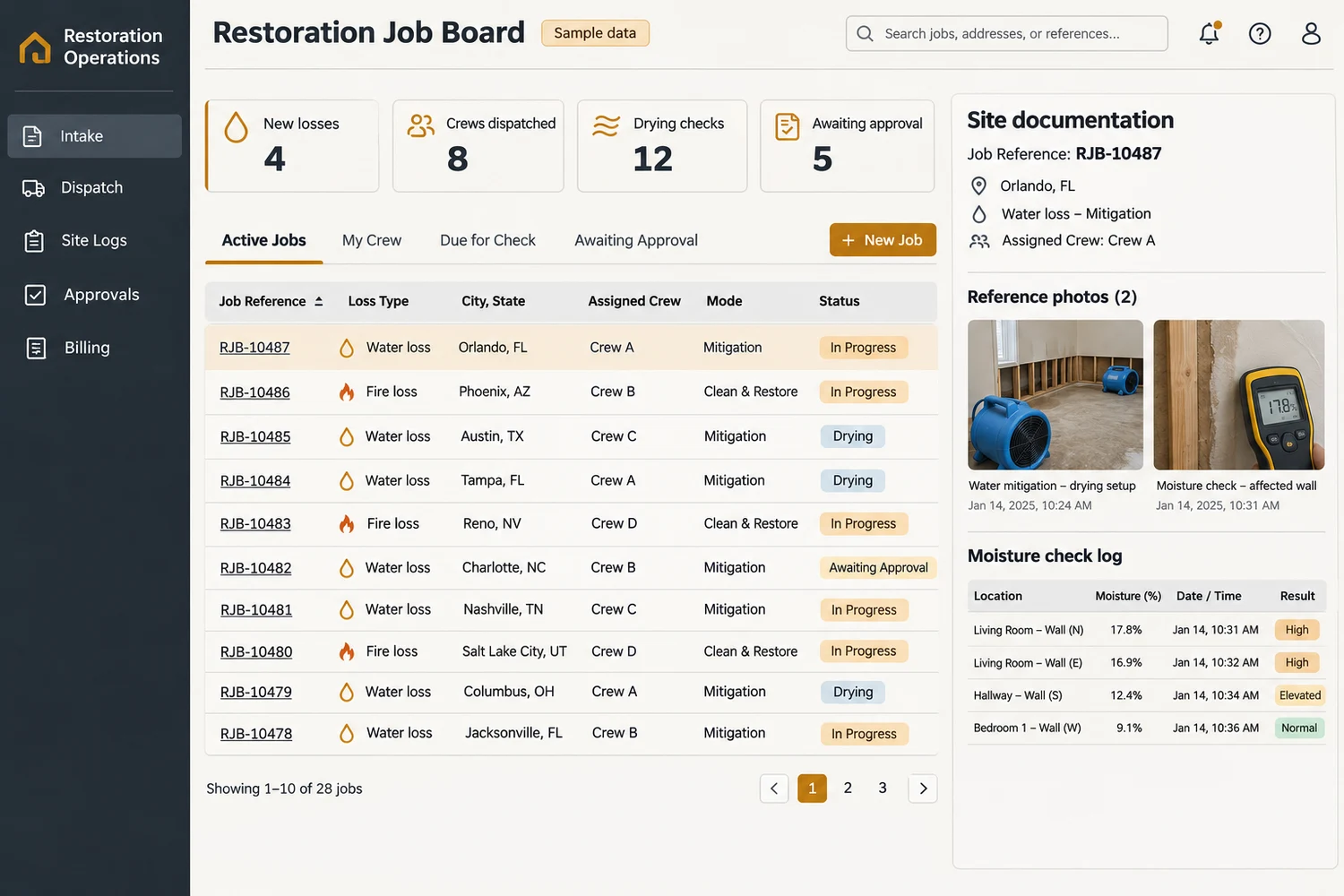
Custom job management software for US restoration contractors. Connect water and fire loss intake, crew dispatch, site documentation, approvals, and invoicing.
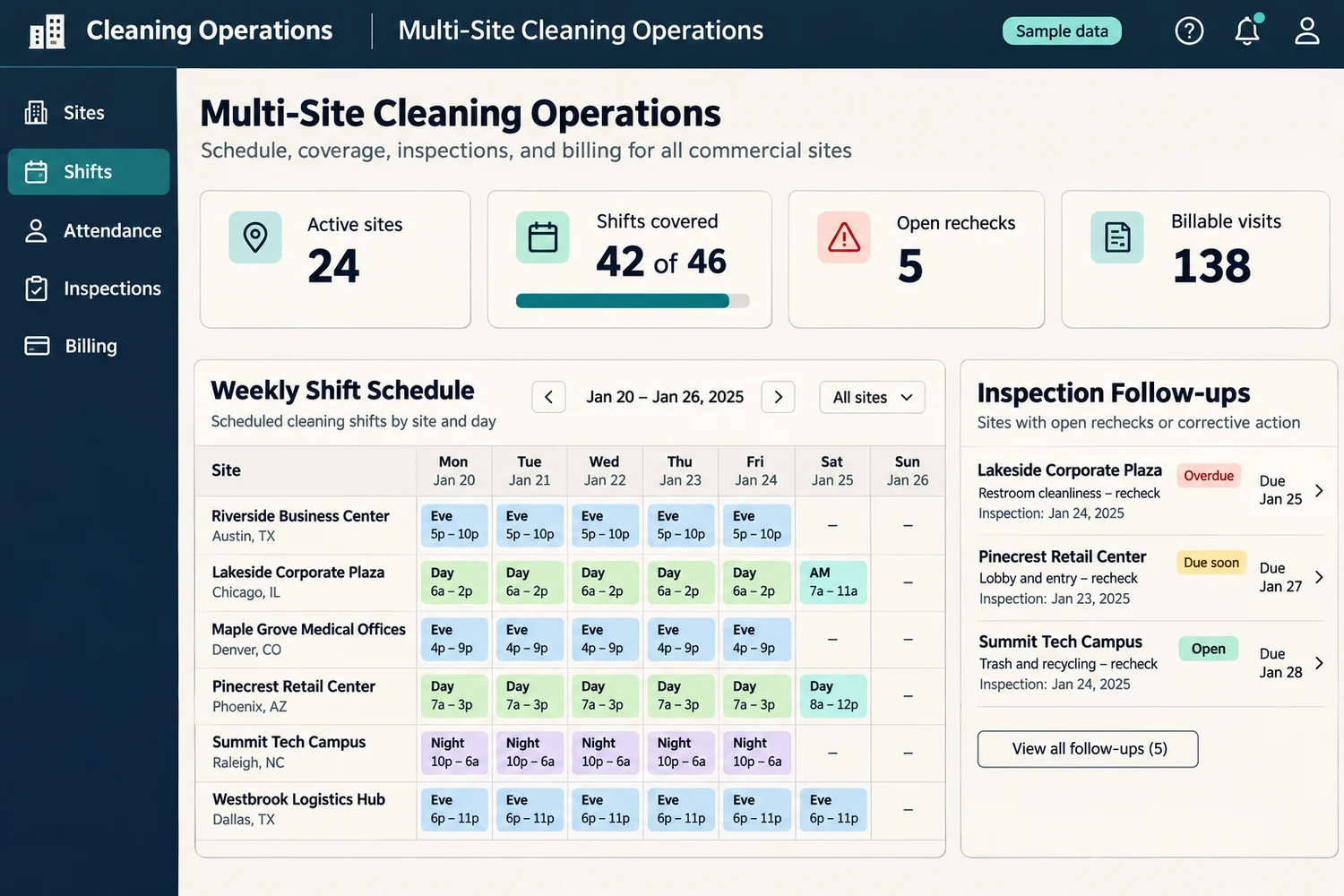
Build custom janitorial software for US cleaning contractors. Schedule crews, track site attendance and inspections, share client updates, and bill contracts.
 Chat with us