Technician dispatch and scheduling
See available technicians, assigned calls, and open work orders across branches. Group preventive maintenance visits by site and account for travel, technician skills, and urgent calls when reassigning work.
 Start a project ↗
Manage every technician, service agreement, and maintenance visit in one system. Build a dispatch and service workflow for a commercial HVAC team of 10–75 technicians.
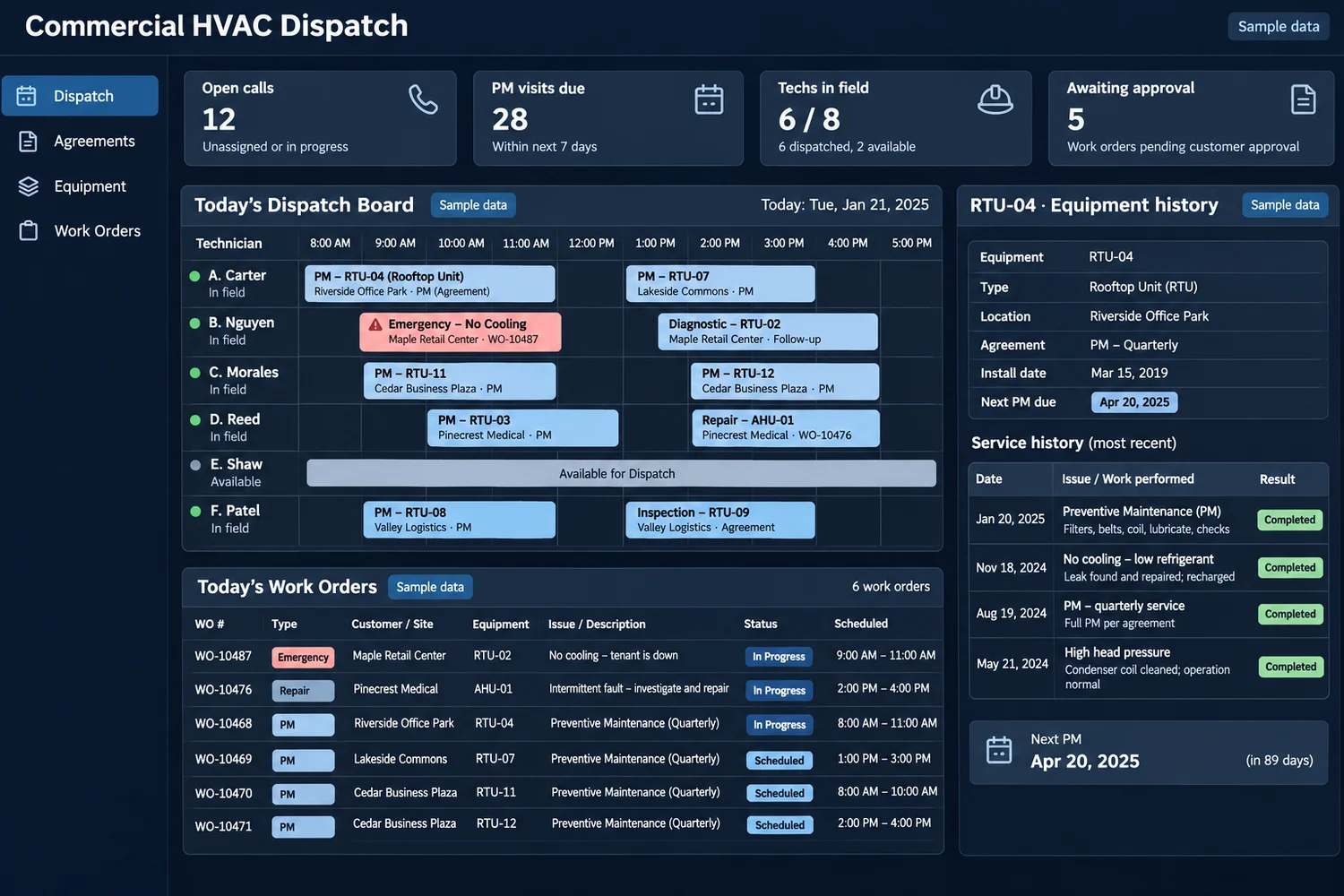
See available technicians, assigned calls, and open work orders across branches. Group preventive maintenance visits by site and account for travel, technician skills, and urgent calls when reassigning work.
Track covered sites and equipment, visit frequency, renewal dates, and contract exclusions. Create visit queues from agreed service windows and flag work that needs separate approval.
Give each rooftop unit, chiller, or air handler its own record. Show model, serial number, prior repairs, warranty details, and the next scheduled service before a technician starts work.
Send site access notes, asset details, and equipment-specific checklists to the field. Capture readings, photos, parts, labor, and follow-up work against the correct unit.
Send agreed appointment confirmations and arrival updates. Give facility managers a clear summary of completed work and equipment that needs approval or a second visit.
Distinguish contract visits from billable repairs, record purchase orders and spending limits, and flag jobs missing approval before exporting charges to accounting.
A 30-technician contractor is balancing quarterly rooftop-unit maintenance with a same-day no-cooling call. Dispatch moves the urgent job to a qualified technician, keeps the planned visit visible for reassignment, and sends the site contact a revised window. The technician sees the unit’s last repair before leaving for the site.
Turn upcoming service agreement visits into scheduled work.
Assign calls by capacity, skills, and site access.
Log the work against the correct equipment record.
Share the service summary and release approved charges.
Pilot one branch, one preventive maintenance agreement, and one repair workflow. Track overdue agreement visits, unassigned calls, repeat visits due to missing equipment history, and days from job completion to invoice.
Bring a redacted work order or project record and show us where the next step gets held up.
It helps contractors schedule technicians, manage recurring service agreements, and retain work history for equipment at each customer site. It can also connect field records to customer updates and billing.
Yes. A custom build can link agreements to covered addresses and equipment, with visit windows, exclusions, and renewal dates recorded separately.
A mobile work order can expose the assigned asset’s service history, site notes, and checklists. Confirm offline requirements and what can be edited in the field during discovery.
Yes. Start by agreeing on job IDs, customer records, and invoice fields. An export may be enough for a first release. Direct integration depends on provider access.
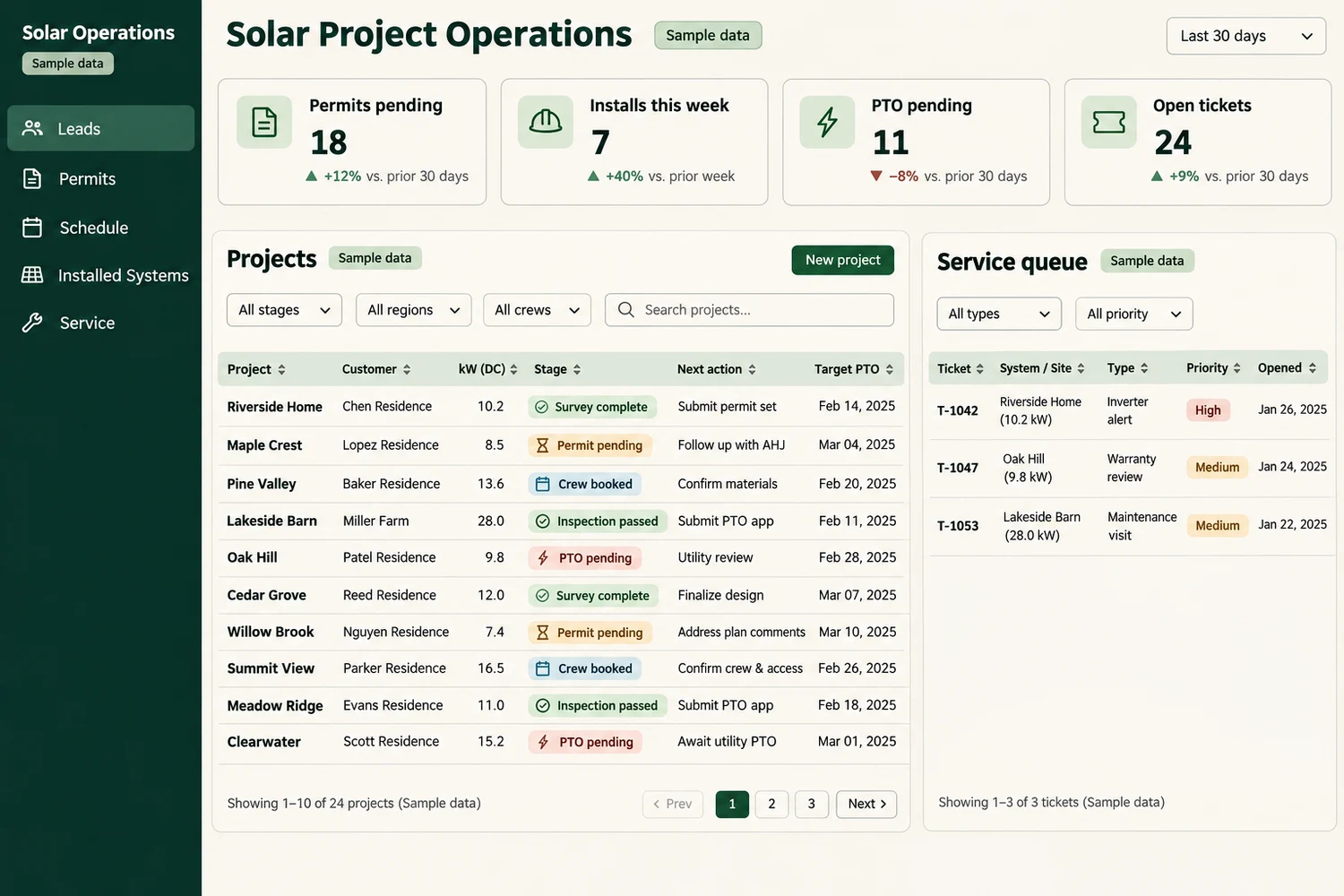
Custom solar installation software for US contractors. Track leads, permits, crew schedules, inspections, warranties, and service tickets from one project record.
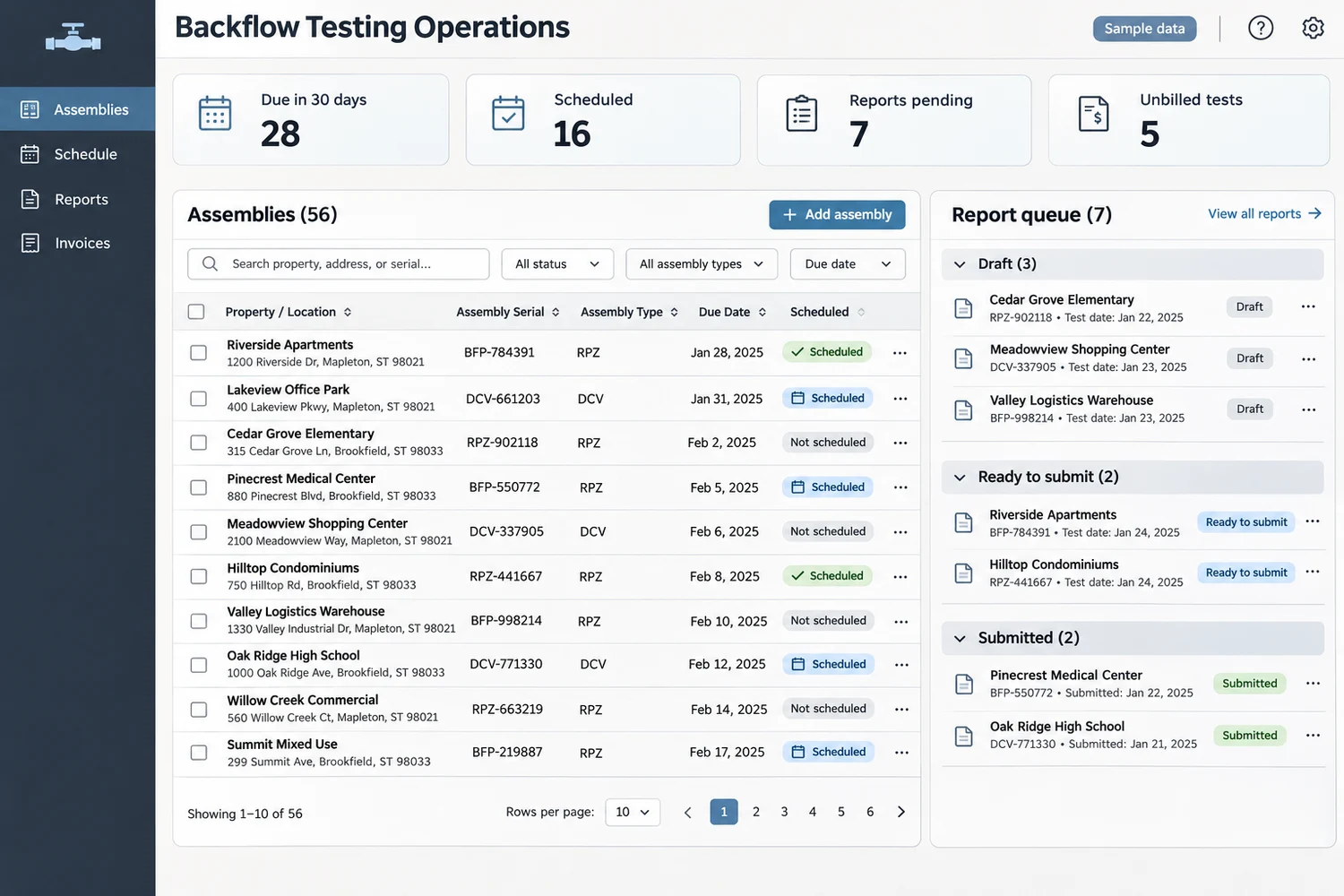
Manage recurring field visits, reports, and billing.
 Chat with us