
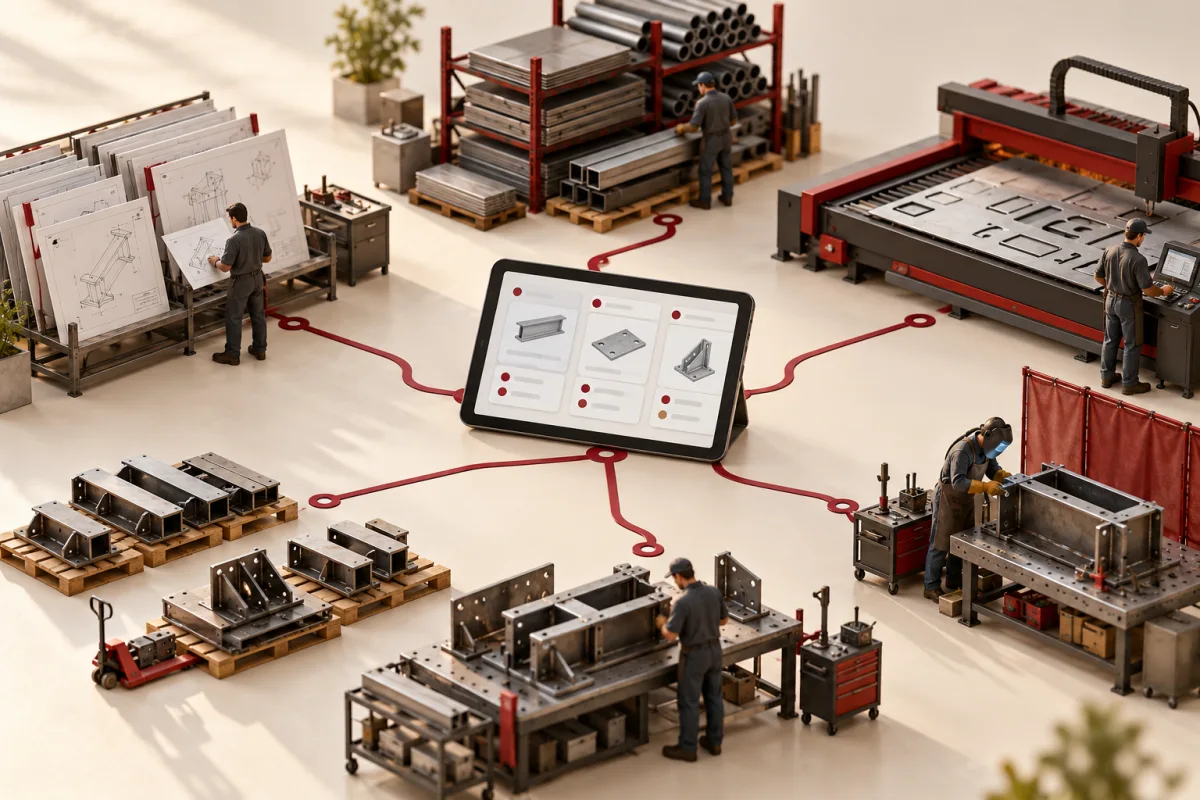
The shop floor has the drawing. Estimating has a newer version. Purchasing has ordered against the original material list. The job is moving, but the people involved are not working from the same release.
Fabrication job tracking software should connect the drawing revision, material allocation and work-in-progress. For a small shop, a focused operating layer may solve that problem without replacing every financial and planning system at once.
Start with accepted scope, controlled revisions, material reservations, production stages, outside processing and dispatch readiness. Keep responsibility and exceptions visible. Compare existing manufacturing software before deciding which part needs custom development.
Define the job before drawing the dashboard
Identify what makes a job unique, which customer order it belongs to and which drawing revision authorises the work. A job may contain several parts or stages; agree those relationships explicitly.
Keep quoted, accepted and released work distinct. A new RFQ should not reserve material or appear ready for production until the agreed conditions are met. The manufacturing RFQ website guide covers that initial information handoff.
Make revisions impossible to miss
Record drawing revisions, release status and the people authorised to change them. When a new version arrives, identify the affected material, operations and completed work before updating the job silently.
Preserve the previous record where necessary to explain decisions. A folder named “latest” is convenient until two departments disagree about when it changed.
Connect material with the work it supports
| Record | Useful question | Exception to test |
|---|---|---|
| Material requirement | What does the released job need? | Revision changes the requirement |
| Reservation | What stock is committed? | Another urgent job needs it |
| Issue or consumption | What was actually used? | Scrap, substitute or partial use |
| Remnant or return | What remains usable? | Identification or condition uncertain |
| Receipt | What has arrived and been released? | Partial or incorrect delivery |
Use units and identifiers the shop can maintain. If traceability is required, define the actual lot, certificate or serial relationships and who verifies them. Do not add fields simply because another factory uses them.
Track stages with useful reasons for waiting
Cutting, forming, machining, welding, finishing or inspection should reflect the shop’s real process. Not every job follows the same route. Make outsourced operations and transport handoffs visible where they matter.
“Waiting” needs a reason: material, drawing clarification, capacity, customer decision or outside processing. Managers can act on that distinction. A screen full of progress percentages may hide it.
Keep quality and dispatch deliberate
Identify which checks or documents are required before release. Tie acceptance to the relevant part or job version. Record nonconformance and rework through the agreed process rather than erasing a failed stage.
Work complete, ready to dispatch and invoiced are separate events. Connect them to the systems that own fulfilment and finance, with clear references and failure handling.
Choose a focused first release
A first release might connect job intake, revision control, material reservations and stage visibility. Leave detailed capacity optimisation or advanced costing until the records feeding them are dependable.
Custom software is worth investigating when important rules or integrations cannot fit existing tools sensibly. Ask suppliers to demonstrate the same sample job and compare migration, training, devices, support and ongoing maintenance.
Pilot one product family or production route
Reconcile opening work-in-progress and material commitments. Test a drawing change after release, a partial completion, an outside-process delay and a returned part. Include staff who actually update the record on the shop floor.
Measure time spent locating job status, revision-related rework, unexplained material shortages and delay between completion and reporting. Better information should support decisions; it does not create machine capacity by itself.
Deepak Softech’s manufacturing software work can be scoped around those handoffs. See the broader manufacturing ERP guide when purchasing, finance and multiple sites also need connecting.
Does every operator need a full workstation?
No. Choose a practical interaction for each role and location, then test it with real devices and operating conditions.
Should we build a complete ERP?
Only if the business case supports that scope. A smaller connected job-tracking layer may address the immediate problem with less disruption.
Using anonymised drawings and records, show us its revisions, material and production route. We can discuss a focused tracking system that makes the next action clear.
Map my fabrication workflow ↗Editorial note: published 21 October 2026. Budget and time-saving examples are explicitly illustrative. Vendor capabilities and terms can change; check linked primary sources and written proposals for your requirements.
 Chat with us